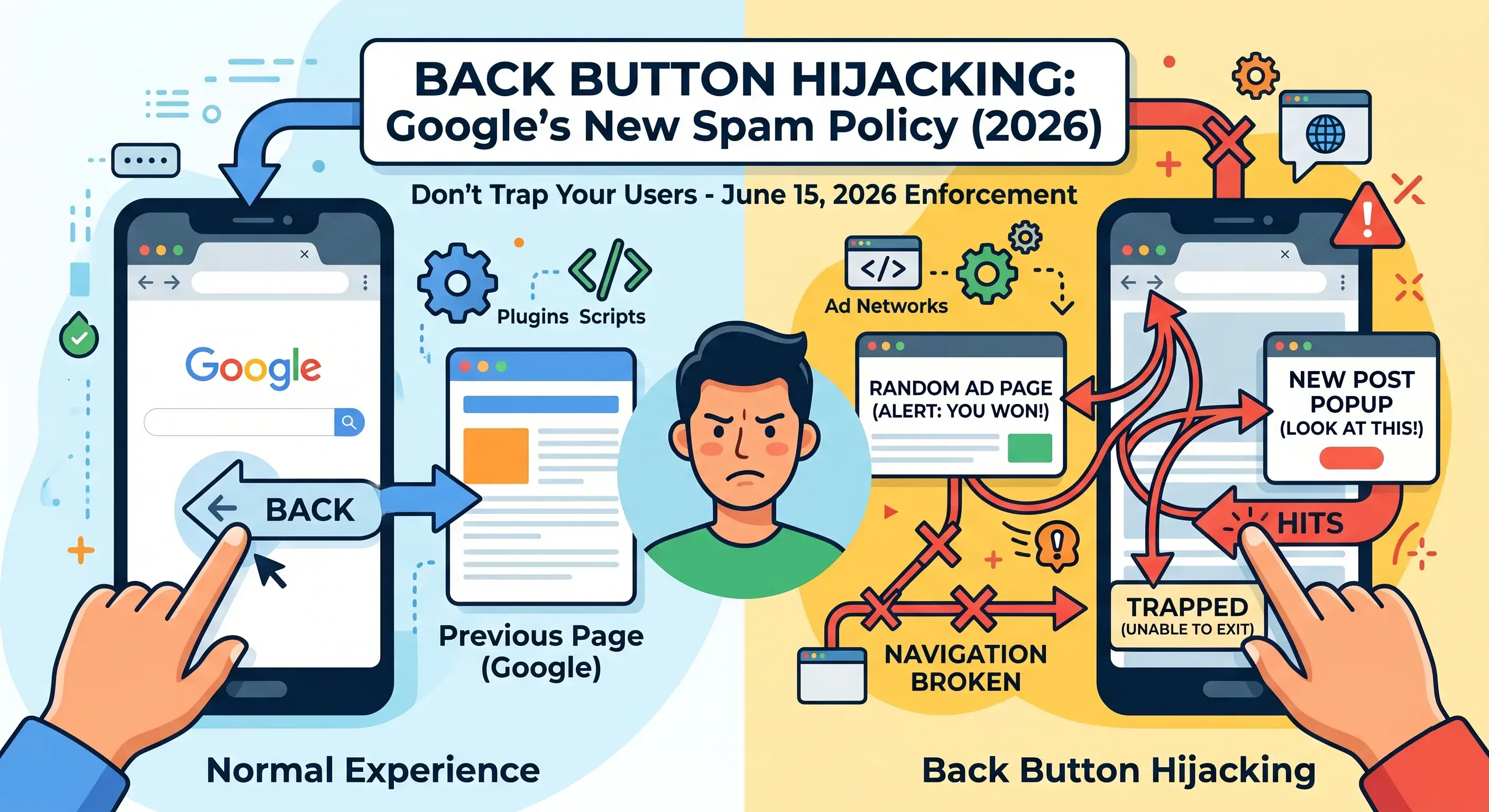
Google is cracking down on a sneaky trick called “Back Button Hijacking.” Starting June 15, 2026, if your site uses these tactics, you could see your rankings tank or worse, get manual spam penalties.
If you run a website, blog, ad network, or use third-party plugins, pay attention.
So, what’s Back Button Hijacking?
When you click your browser’s Back button, you’re expecting to go back to where you just were. Some sites mess with this. Instead of taking you back, they:
- Send you to random pages you never asked for
- Throw ads in your face
- Push you to “recommendation” pages
- Trap you so you can’t leave
- Break normal browser navigation
All of this falls under Back Button Hijacking.
Let’s picture it. You find a blog post through Google Search. When you’re done, you decide to hit “Back.” But instead of getting back to Google, you land on an ad page. Or a new article pops up. Maybe a super annoying popup blocks you. Sometimes, you’re just stuck. It’s frustrating, and you stop trusting the site.
Why is Google stepping in?
Google says putting users first is non-negotiable. Hijacking the Back button:
- Breaks basic browser functionality
- Manipulates users
- Creates a shady experience
- Erodes trust
- Makes browsing downright annoying
Since this stuff has become more common, Google’s now officially classifying Back Button Hijacking as a problem under its Malicious Practices Spam Policy.
What does Google’s policy actually say?
“Malicious practices create a mismatch between user expectations and the actual outcome, leading to a negative and deceptive user experience.”
So, messing with normal navigation? That’s spam now.
When’s all this happening?
Google announced the policy on April 13, 2026. Enforcement kicks in June 15, 2026. That gives you a couple of months to clean up your site before the penalties start rolling out.
What could happen if you ignore this?
Sites using back button hijacking could see:
- Drops in search rankings
- Automated spam demotions
- Manual spam actions
- Way less organic traffic
Worst-case? Your pages disappear from Google Search altogether.
What’s causing all this back button hijacking?
Honestly, sometimes site owners have no clue it’s happening. Here’s where problems usually pop up:
- Aggressive Ad Scripts: Some ad networks sneak redirects into your browser history.
- Pop-up or Push Notification Plugins: Badly set up tools interfere with navigation.
- Malicious JavaScript: Third-party scripts use functions like history.pushState() or history.replaceState() to mess with browser history.
- Spammy Download or Redirect Pages: Some monetization schemes intentionally keep users trapped.
What should you do right now?
Google wants you to give your site a thorough check. Here’s where to start:
- Remove scripts manipulating browser history
- Stop forced redirects after users click Back
- Audit your ad networks and plugins
- Test your site on both desktop and mobile
- Make sure visitors can leave easily
If you’re using plugins, themes, or ad scripts from random sources, review them ASAP.
Who really needs to pay extra attention?
- Bloggers and affiliate marketers
- News and download sites
- Sites loaded with heavy third-party ad layouts
- Developers using external scripts
Even if you didn’t mean to add these behaviors, Google won’t care. If users get trapped, your site will get hit.
How to check for the problem?
Do a quick manual test:
- Find your site in Google Search, click through a few pages, and use the Back button.
- Is it working like it should?
- Are weird popups showing up?
- Are you getting redirected somewhere else?
- Are you stuck?
If anything feels off, dig deeper fast.
What if Google penalizes your site?
Don't panic. If you get hit, follow these steps:
- Remove whatever script or plugin is causing the problem.
- Double-check that your site navigation is behaving properly.
- File a reconsideration request in Google Search Console.
Final thoughts
This new rule is all about protecting users from sneaky browsing tricks. The takeaway? Don’t mess with basic navigation. If your site relies on aggressive ads, redirect scripts, or sketchy plugins, start cleaning house before the June 2026 deadline.
A straightforward, trustworthy, and user-friendly website isn’t just good for your visitors it’s crucial for your long-term SEO success.
General Disclaimer: The articles published on Milestone Journey are gathered from various research materials, code repositories, and documentation sources. While we strive to update our core codebase regularly, technical specifications may change over time. Content is provided for informational and educational purposes only.
Discussion (1)
Leave a Reply
Ashish
6 days agoWill Google penalize websites using back button hijacking?